Migrating smart forms from Device Magic to Power Apps
Multiple BU’s spread across the U.K used 3rd party software (Device Magic) to create forms that the on-site engineers would use to collect and submit data.
To reduce ongoing licensing costs, senior management requested a migration form the third-party software to Power Apps.
After personally conducting requirements gathering, it became apparent that a change in the UI/UX from Device Magic to Power Apps was a cause of friction.
Thus, I designed the Power App version of the smart form to mirror the 3rd party software (Device Magic) forms.
Compromises on the UI/UX were only made to avoid adversely affecting the Power Apps performance.
The gallery below displays images of screens I developed in Power Apps, sequentially followed by the original screen in Device Magic.
Captions indicate which platform each image belongs to.
This clear visual comparison will highlight how I replicated the UI/UX whilst still prioritising performance within my Power App.
Screenshots were taken on the Galaxy Tab Active5 Pro 5G tablet.
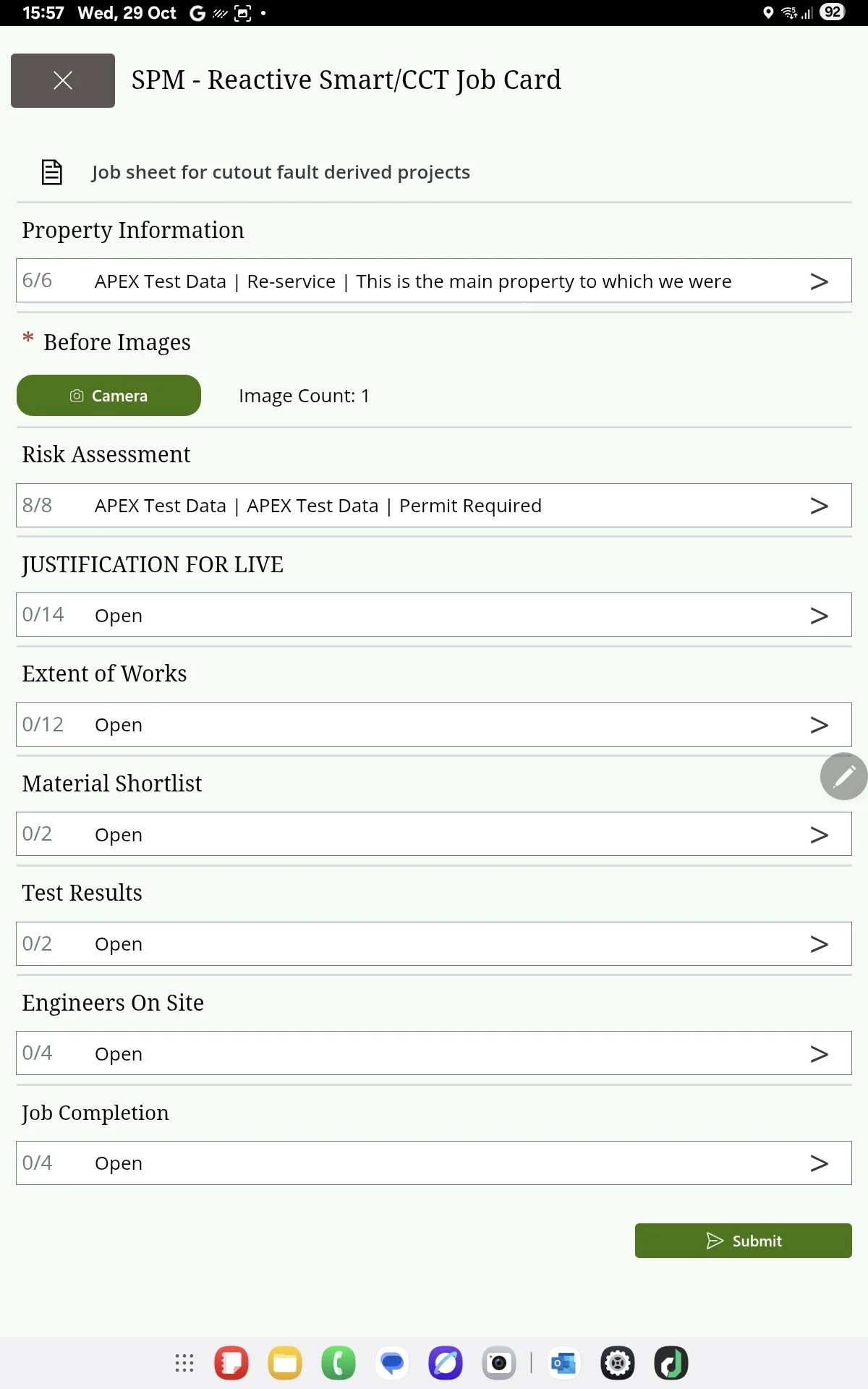
Power Apps - Home Screen
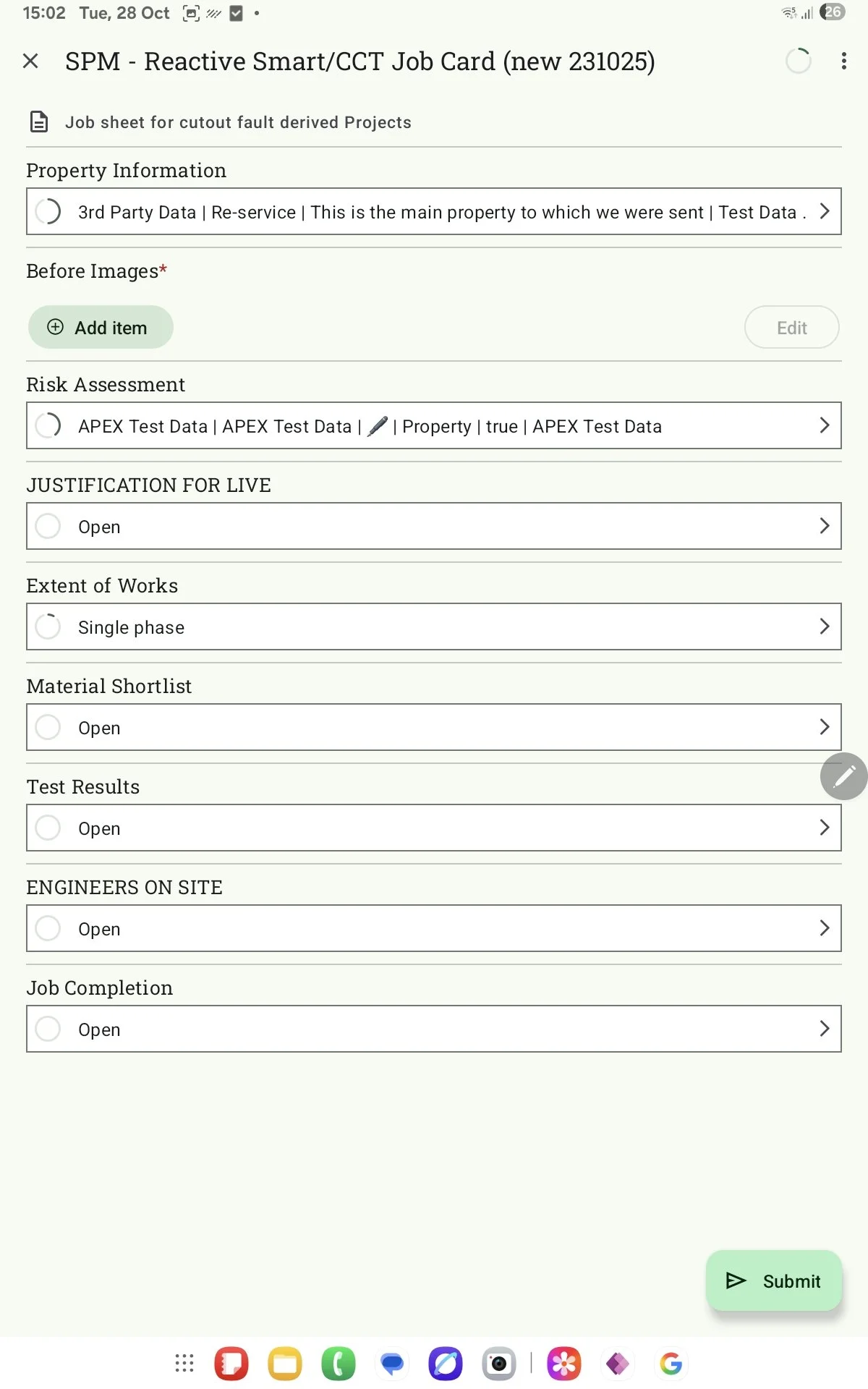
Device Magic - Home Screen
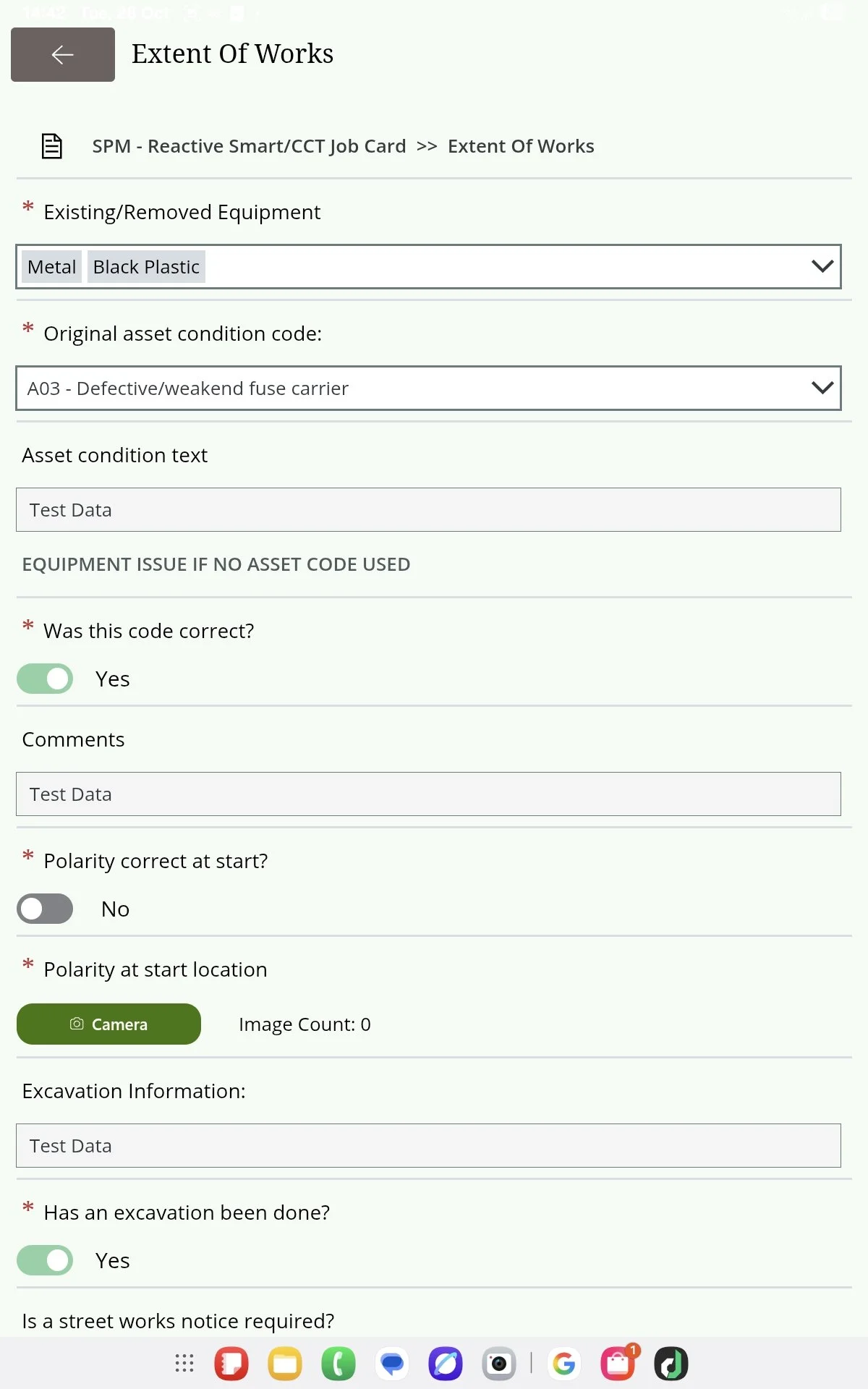
Power App - Extent Of Works Screen
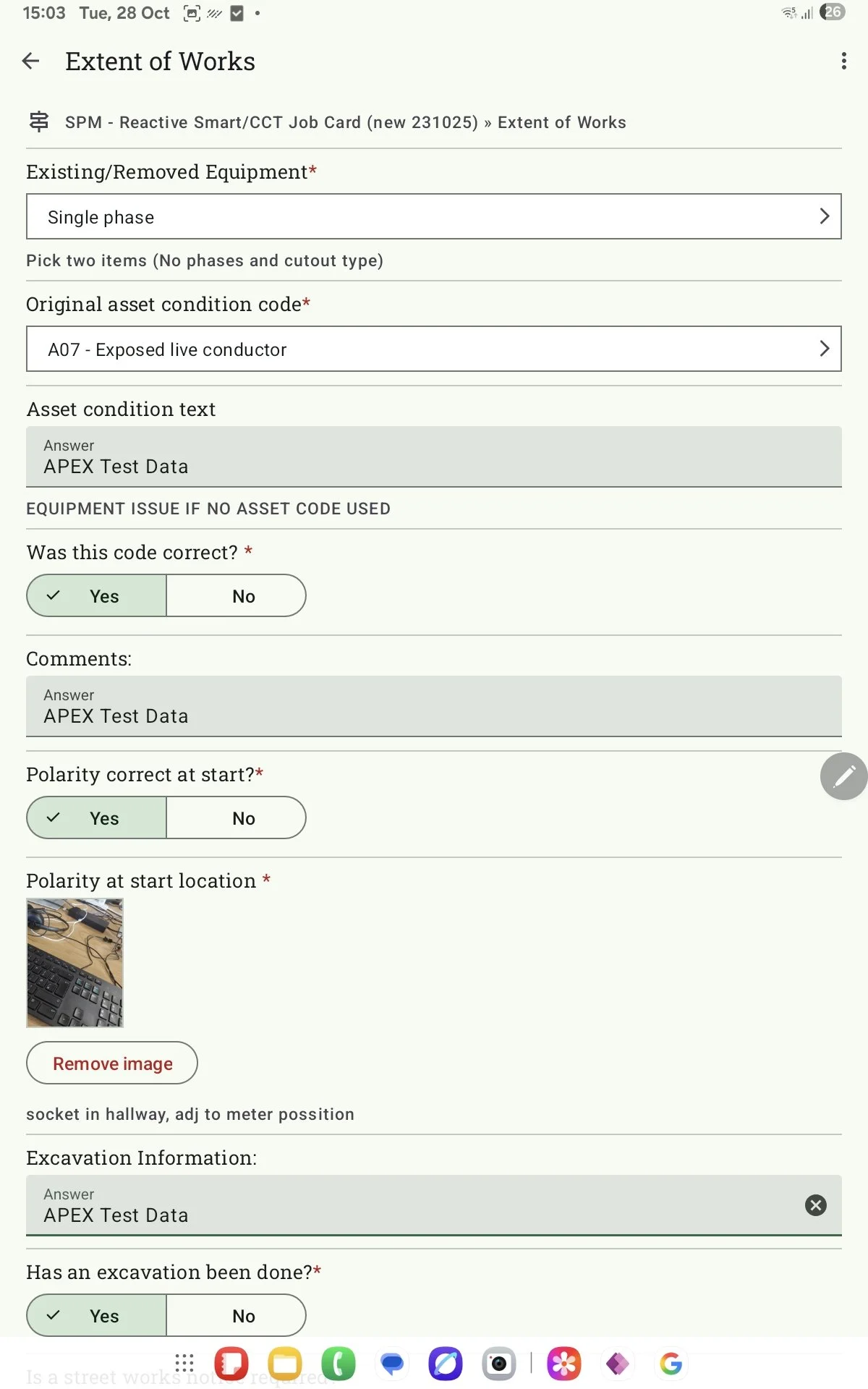
Device Magic - Extent Of Works Screen
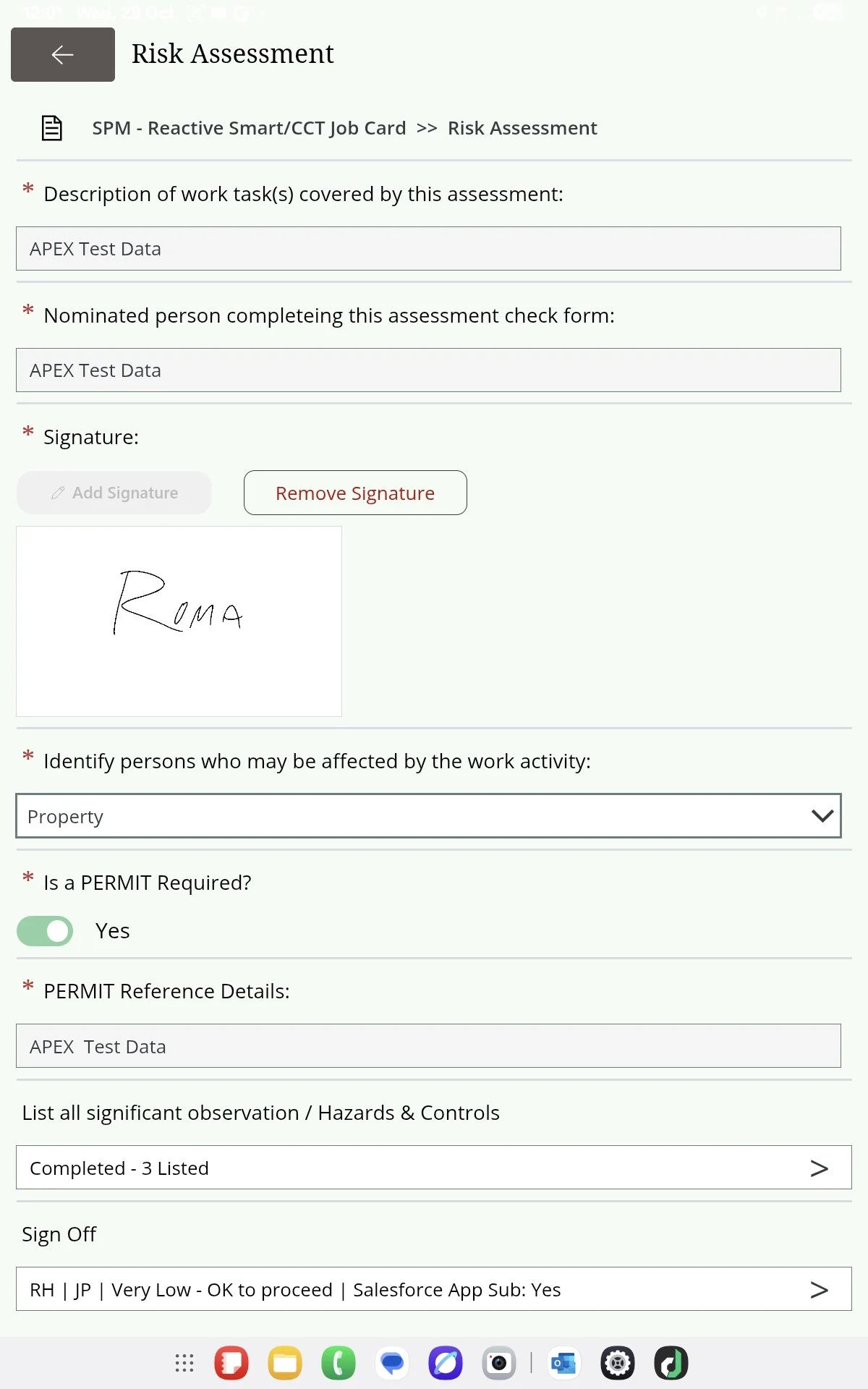
Power App - Risk Assessment Screen
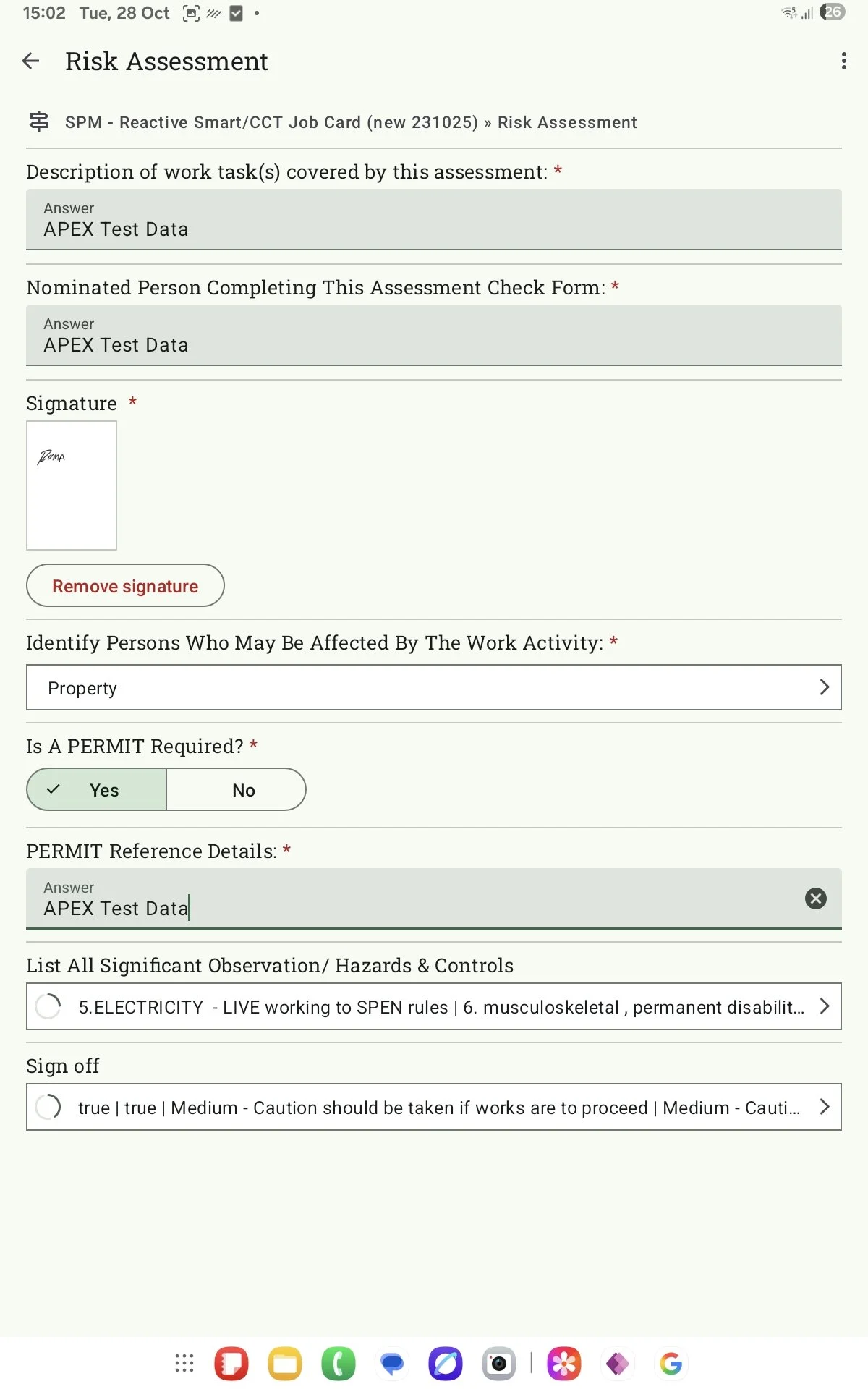
Device Magic - Risk Assessment Screen
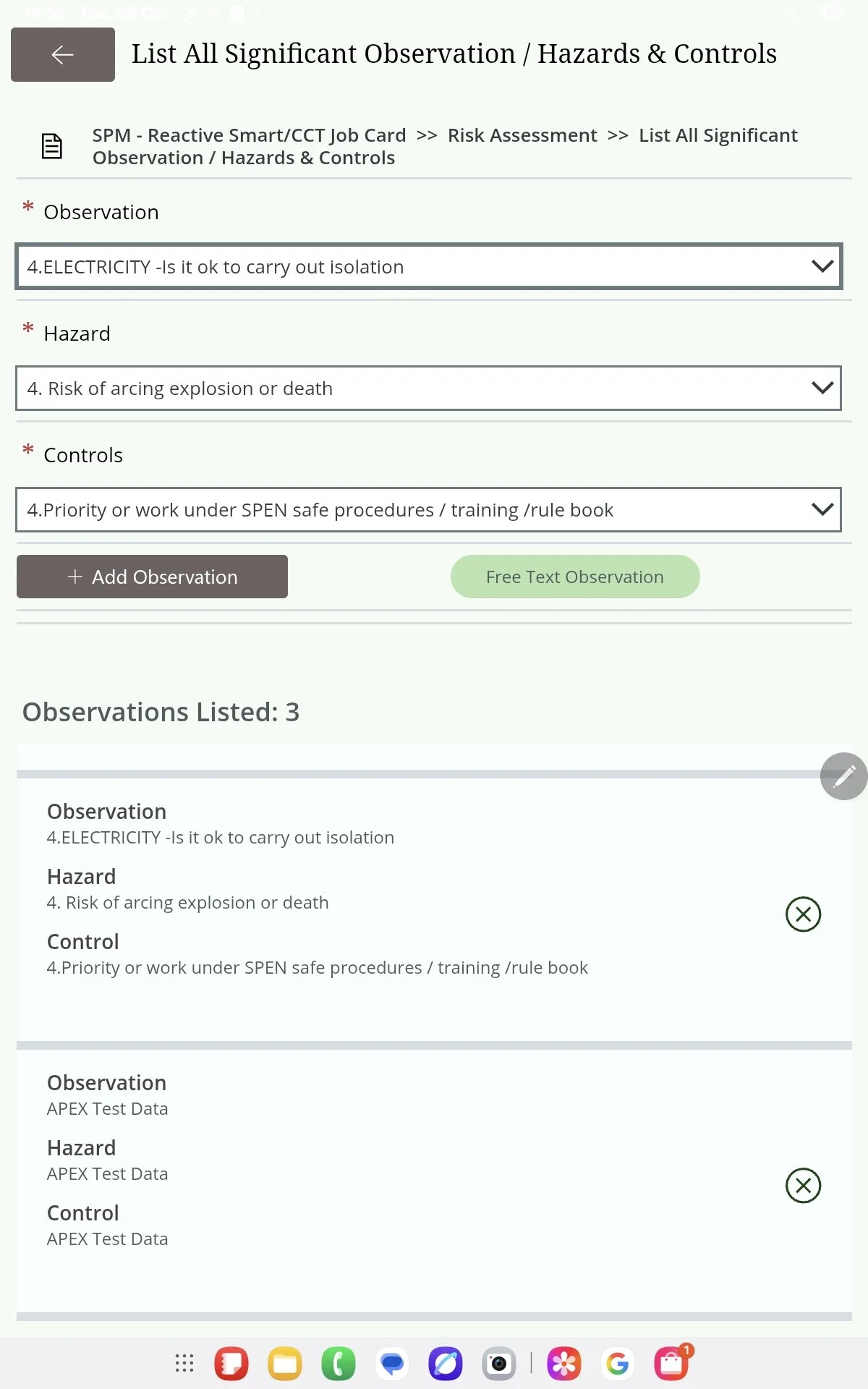
Power App - Risk Assessment > Observations List Screen
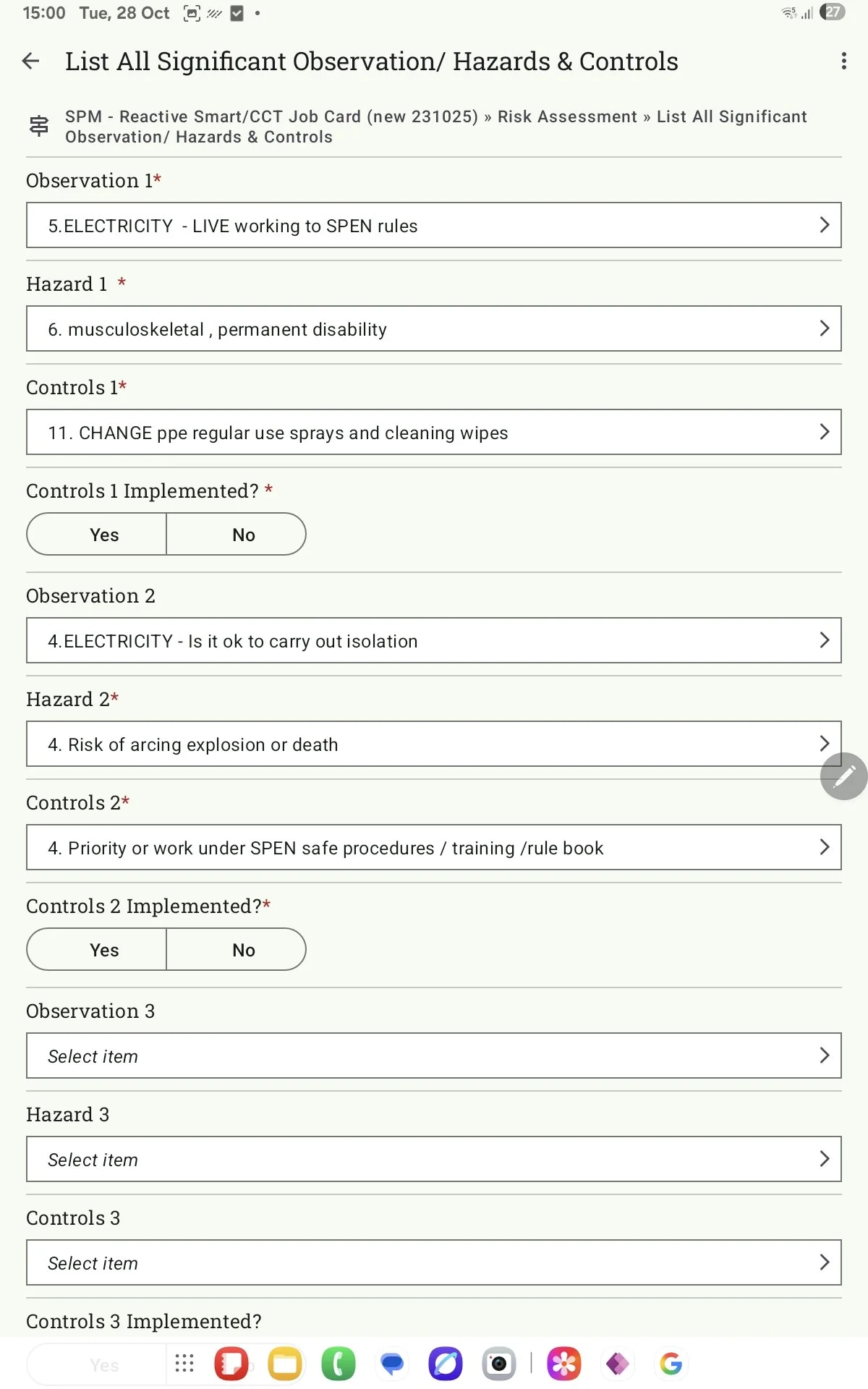
Device Magic - Risk Assessment > Observations List Screen
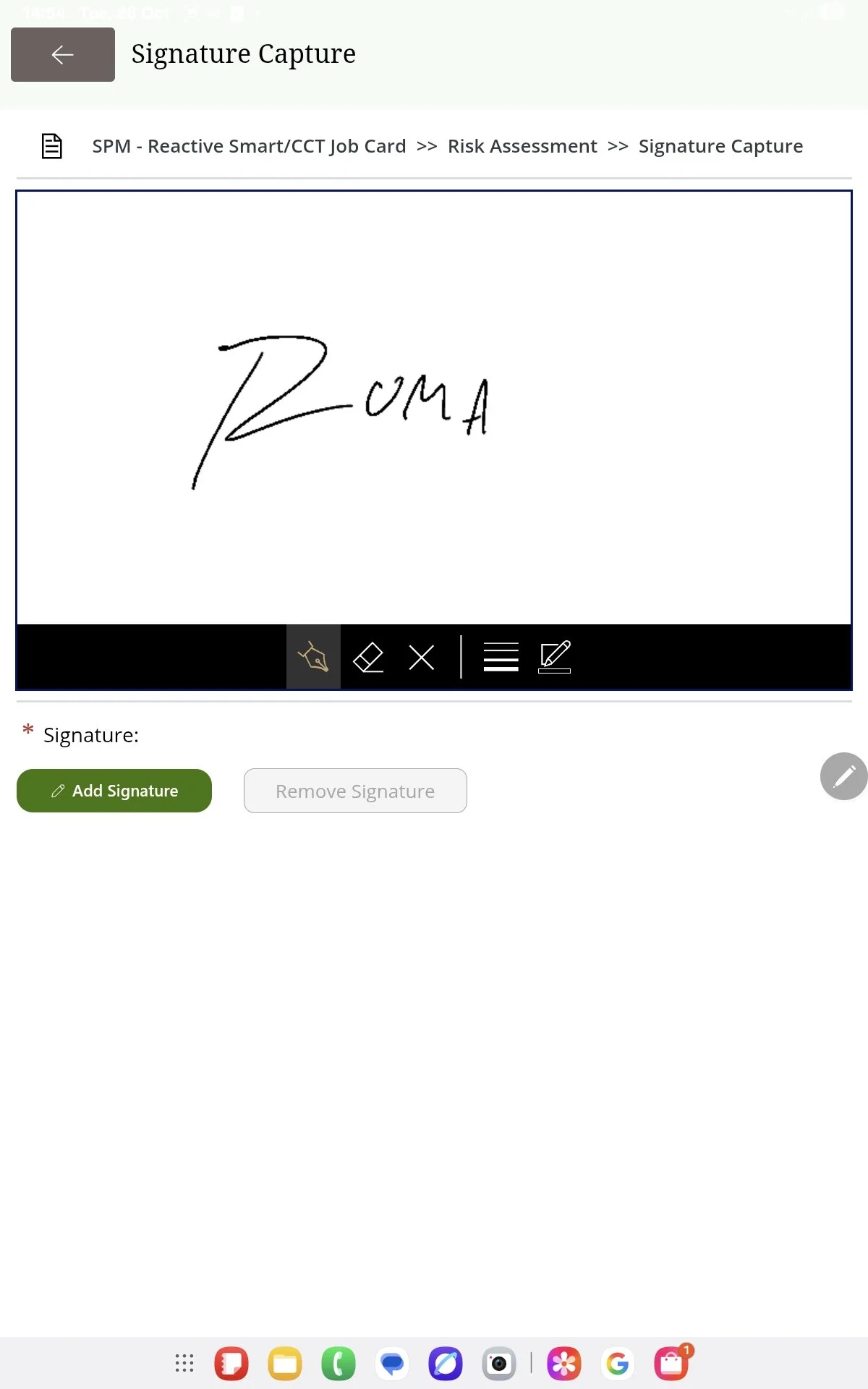
Power Apps - Risk Assessment > Add Signature Screen
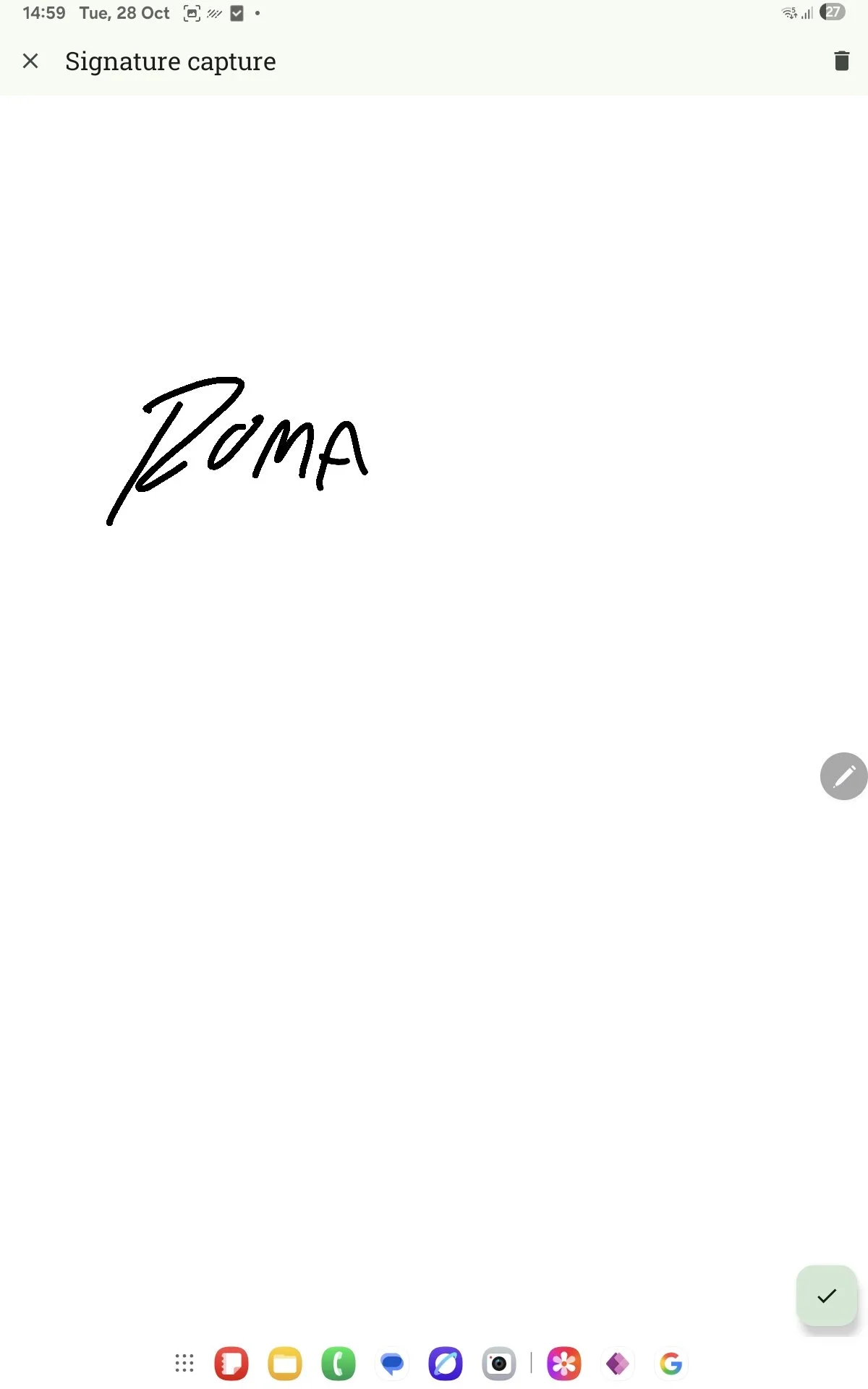
Device Magic - Risk Assessment > Add Signature Screen
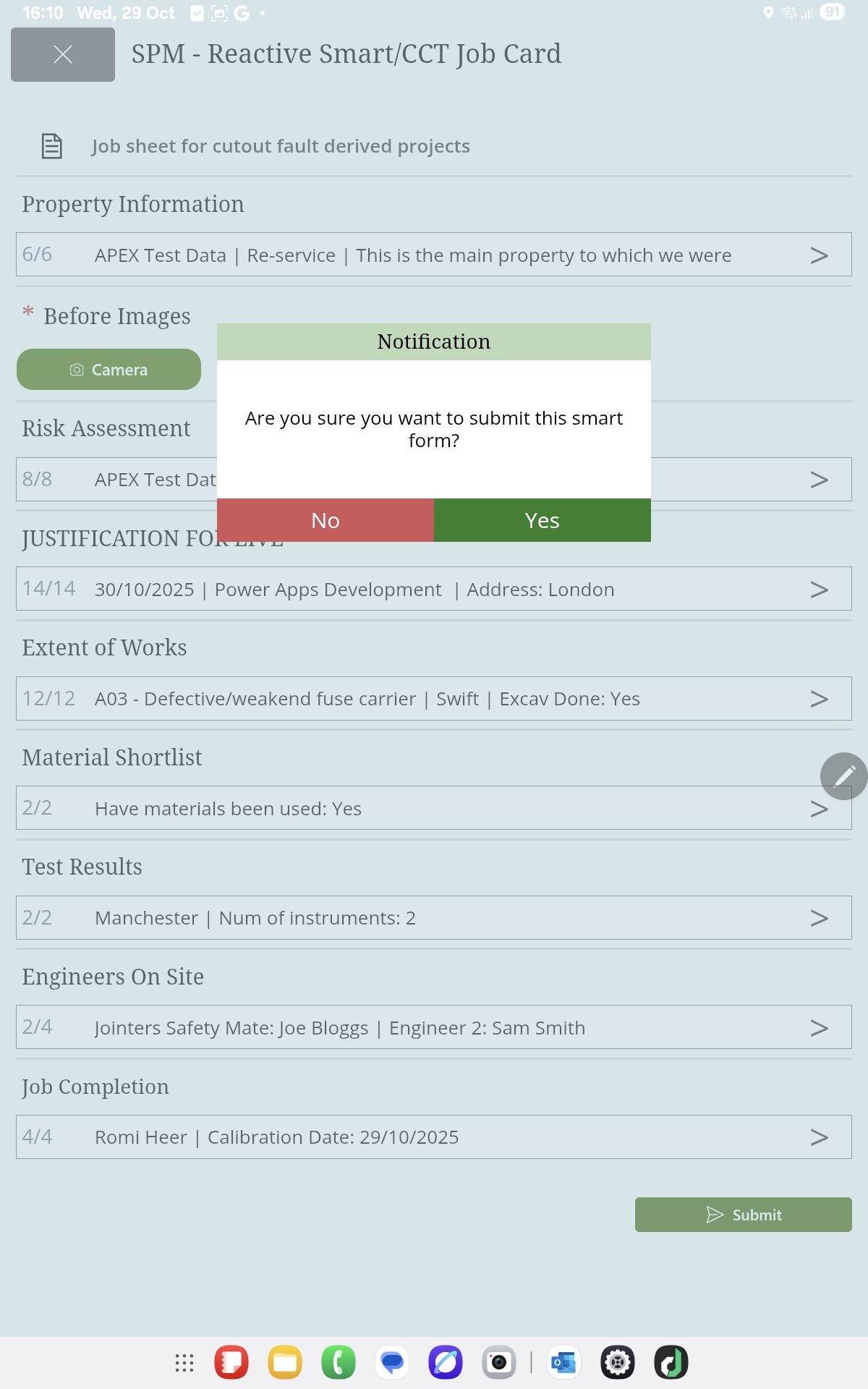
Power Apps - Home Screen - Submission Notification (not present on Device Magic)
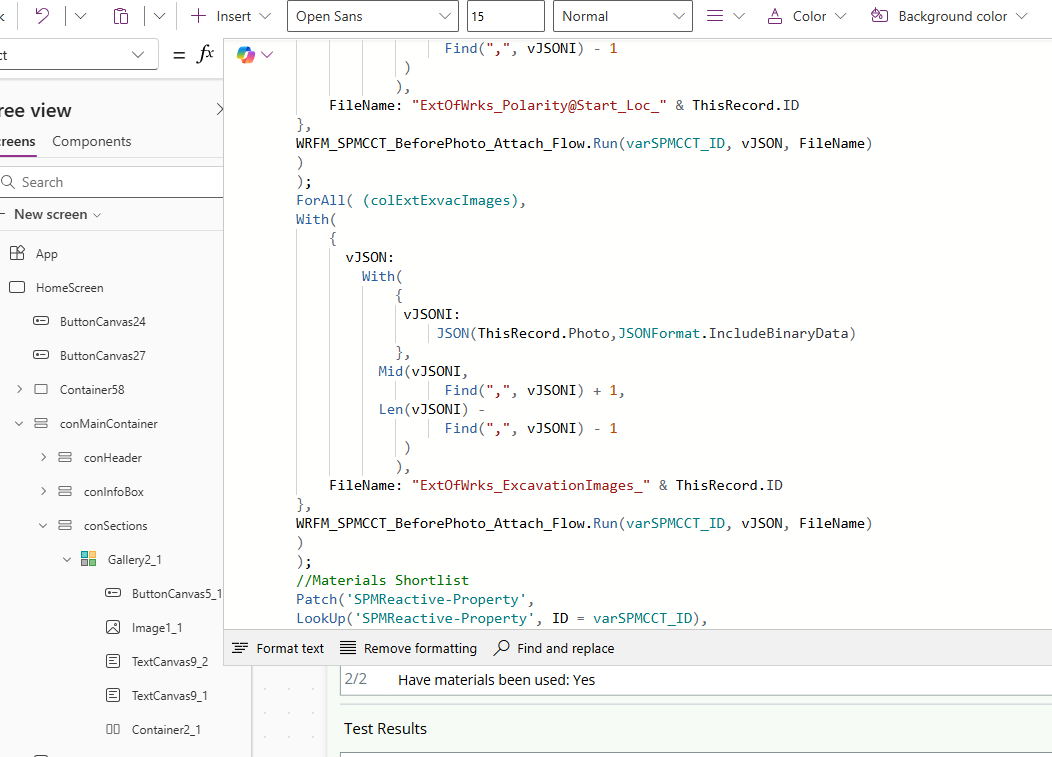
Power App - Code Snippet